
Traffic Shaping
Ever notice how your video call turns into a choppy, pixelated mess the moment someone else on your network starts a big download? It is not your internet being “too slow.” It is a queuing problem.
What Is Actually Happening
Section titled “What Is Actually Happening”When data leaves your network, it has to squeeze through a bottleneck: your connection to your ISP. When there is more data than can fit through at once, it forms a queue. That queue lives in your modem.
Here is the catch: your modem is dumb. It uses a simple first-come, first-served line. It does not know or care what kind of traffic it is handling.
Someone starts a download while you are on a call:
  [download][download][download][voice][download][download][voice][download]...  <--------------------------------------------------------------------------->                         all waiting in one line                          EXIT
Your voice packets are time-sensitive. They need to arrive NOW.But they are stuck behind bulk data that could not care less about timing.
A voice or video packet that arrives 200 milliseconds late is useless. A download chunk that arrives 200 milliseconds late? Nobody notices.
But your modem treats them exactly the same.
Result: choppy audio, frozen video, frustrating lag.
How Wirebump Fixes This
Section titled “How Wirebump Fixes This”Wirebump sits between your router and your modem. It deliberately paces your traffic to slightly under your actual link speed. This might sound counterintuitive, but here is why it works:
By keeping the modem’s queue nearly empty, the bottleneck moves to Wirebump, where smart traffic shaping can actually manage it.
Instead of one dumb queue, Wirebump maintains separate queues for different types of traffic and rotates between them fairly:
Bulk downloads: [chunk][chunk][chunk][chunk][chunk]... Voice/video: [packet][packet] <-- gets through immediately Web browsing: [request][page] Everything else: [data][data] | [smart scheduler] -> EXIT -> Modem (nearly empty)Your voice packets no longer wait behind bulk transfers. They get their own fast lane.
Downloads still happen at full speed. They cannot hog the exit and make everyone else wait.
Where the Queue Lives
Section titled “Where the Queue Lives”Normal: Your device -> Router -> Modem <- queue builds here (you cannot control it) | ISP
With Wirebump: Your device -> Router -> Wirebump -> Modem -> ISP | | smart queues stays emptyThe key insight: whoever controls the bottleneck controls the queue. When your modem is the bottleneck, you are at its mercy. When Wirebump is the bottleneck, smart scheduling takes over.
The Technology: CAKE SQM
Section titled “The Technology: CAKE SQM”Wirebump uses CAKE (Common Applications Kept Enhanced), a well-tested SQM (Smart Queue Management) algorithm developed by the Bufferbloat project.
CAKE handles:
- Traffic prioritization - Real-time traffic gets through first
- Fair queuing - One device cannot starve others
- Latency control - Keeps queues short, not bloated
You set your download and upload speeds. Wirebump handles the rest.
Finding Your Speeds
Section titled “Finding Your Speeds”To configure traffic shaping, you need to know your connection speeds:
- Run a speed test with your VPN disabled. fast.com or speedtest.net work fine.
- Or use your ISP’s advertised speeds. What you are paying for is usually close enough.
- Set your shaping values slightly below measured speeds. This margin ensures the queue stays on Wirebump, not your modem.
For accurate results, test over a wired connection. WiFi introduces its own latency and jitter, which are the exact problems traffic shaping solves. If you must test over WiFi, use the strongest signal possible.
Configuration
Section titled “Configuration”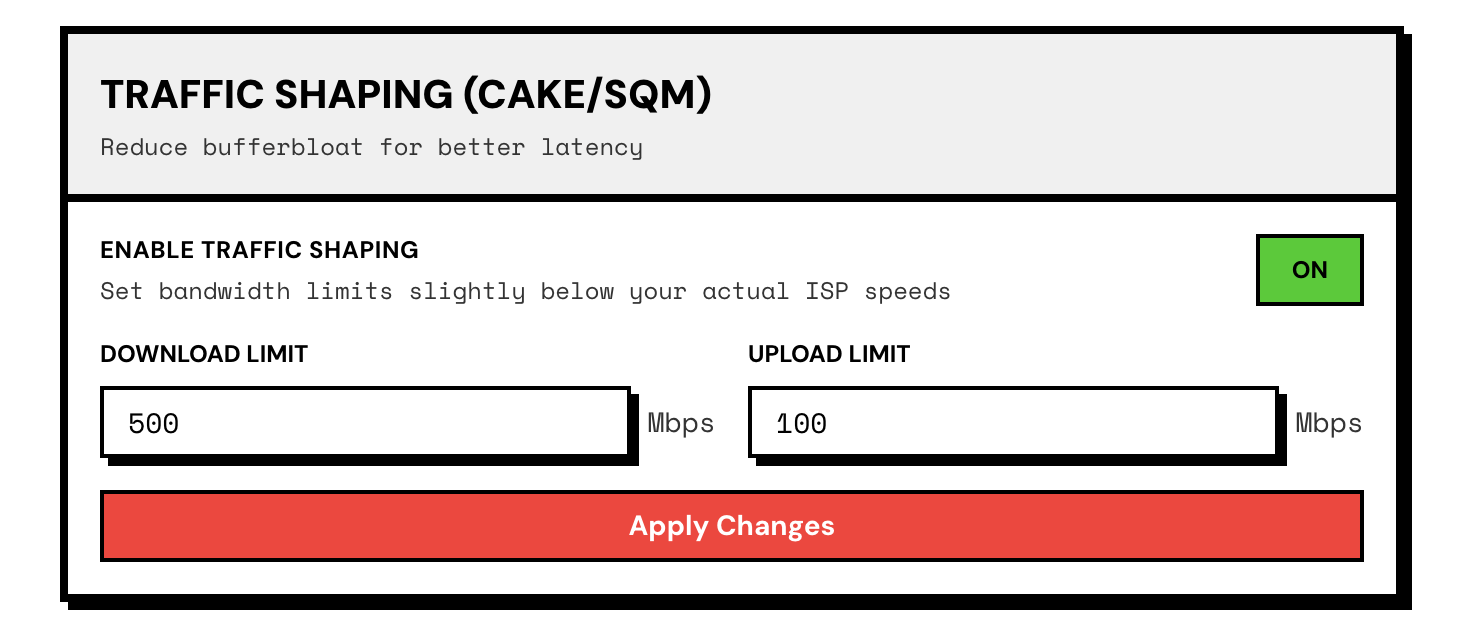
Open Settings and navigate to Traffic Shaping:
- Enter your download speed (in Mbps)
- Enter your upload speed (in Mbps)
- Toggle Enable
- Click Apply Changes
That is it. No tuning required. CAKE handles the complexity.
What You Get
Section titled “What You Get”- Smooth video calls even when someone is downloading an LLM or uploading backups
- Snappy web browsing even on a busy network
- Fair sharing between everyone on the network
Your internet speed stays the same. Wirebump makes sure time-sensitive traffic does not get stuck behind traffic that can wait.
Traffic Shaping + VPN
Section titled “Traffic Shaping + VPN”Traffic shaping and VPN work together without conflict. Wirebump shapes traffic before it enters the VPN tunnel, so prioritization happens at your network edge where it belongs.
This is one of the advantages of running both functions on dedicated hardware rather than cramming them into a router. You get full throughput for both features instead of the performance cliff that happens when routers try to do encryption and shaping simultaneously.
Next Steps
Section titled “Next Steps”- VPN Topologies - Configure parallel, nested, or hybrid VPN circuits
- Installation - Get Wirebump running on your hardware