
Parallel VPNs
Commercial VPN providers split their bandwidth across many users. Your allocated slice of a server is rarely large enough to saturate a fast connection. If you have a 500 Mbps line and your VPN server tops out at 200 Mbps under load, you have wasted capacity.
Wirebump solves this by spreading traffic across multiple VPN servers in parallel.
How It Works
Section titled “How It Works”Instead of funneling all traffic through one server, Wirebump maintains multiple WireGuard tunnels simultaneously and distributes traffic across them.
|-> VPN Server A -|Wirebump -> ISP -> -> Internet |-> VPN Server B -|Each connection uses one tunnel and stays on that tunnel for the duration of the connection. Different connections may use different tunnels to spread the load.
The result: aggregate throughput scales with the number of tunnels.
Configuration
Section titled “Configuration”In the circuit builder:
- Select your VPN provider (Mullvad VPN, Proton VPN, or both)
- Choose a location (city and country)
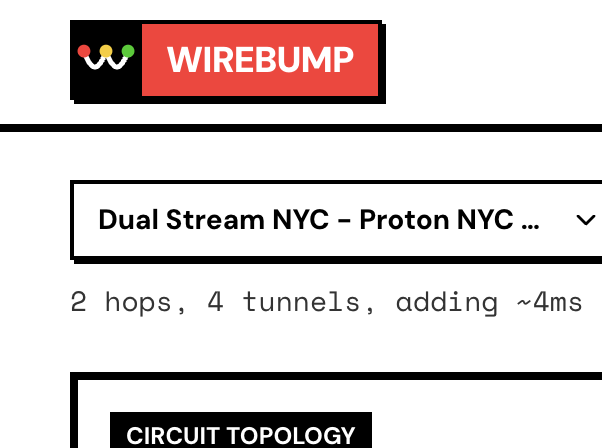
- Increase the Parallel Tunnels count
With 4 parallel tunnels to the same provider, you get up to 4x the throughput of a single connection, assuming the bottleneck was server-side.
You can also mix providers. Run 2 Mullvad VPN tunnels alongside 2 Proton VPN tunnels for 4 parallel paths through different infrastructure.
Performance Testing
Section titled “Performance Testing”To see the aggregate throughput:
-
Run a speed test with multi-connection mode enabled (most speed test sites default to this). The test opens multiple parallel flows, which distribute across your tunnels. This shows your aggregate capacity.
-
Run a speed test with single-connection mode to see per-tunnel throughput. This tells you what each individual server is contributing.
If single-connection shows 150 Mbps and you have 4 tunnels, your aggregate should approach 600 Mbps (minus overhead).
For detailed verification: Verify Your Connection
Why Different Destinations Show Different Latencies
Section titled “Why Different Destinations Show Different Latencies”ECMP hashes flows based on source IP, destination IP, protocol, and ports. This means:
- A connection to
9.9.9.9might route through Tunnel A - A connection to
8.8.8.8might route through Tunnel B - The same destination always uses the same tunnel (for connection stability)
If your parallel servers are in different cities (NYC and LA, for example), pinging different destinations may show different latencies. This is expected behavior. The traffic is being distributed, which is the point.
For latency-sensitive applications that need consistent routing, use a single tunnel or ensure all parallel tunnels are in the same datacenter.
When to Use Parallel VPNs
Section titled “When to Use Parallel VPNs”Good fit:
- Large file transfers where you want maximum throughput
- Multiple users on the same LAN doing heavy downloads
- Streaming 4K to multiple devices simultaneously
- Any workload with many concurrent connections
Consider alternatives:
- Latency-sensitive single-connection workloads (gaming with one server)
- When you need all traffic to exit from the same IP
Combining with Nested VPNs
Section titled “Combining with Nested VPNs”Parallel connections and nested multi-hop are not mutually exclusive. You can run parallel nested chains:
|-> VPN #1a -> VPN #2a -|Wirebump -> ISP -> -> Internet |-> VPN #1b -> VPN #2b -|This gives you the privacy benefits of split knowledge (no single provider sees both ends) plus the throughput benefits of load balancing.
For configuration details: Nested + Parallel Circuits
Next Steps
Section titled “Next Steps”- Nested VPNs for split knowledge configurations
- Privacy Model for understanding what parallel vs nested provides
- Verify Your Connection for testing your setup